RPlay AI

Press Play on Local AI

The complete AI platform for your Mac

Speech recognition, language models, text-to-speech, and professional apps — all running privately on Apple Silicon. Your data never leaves your device.

Download Available Soon
Apple Silicon Native
100% Private
Instant Response
Free to Start
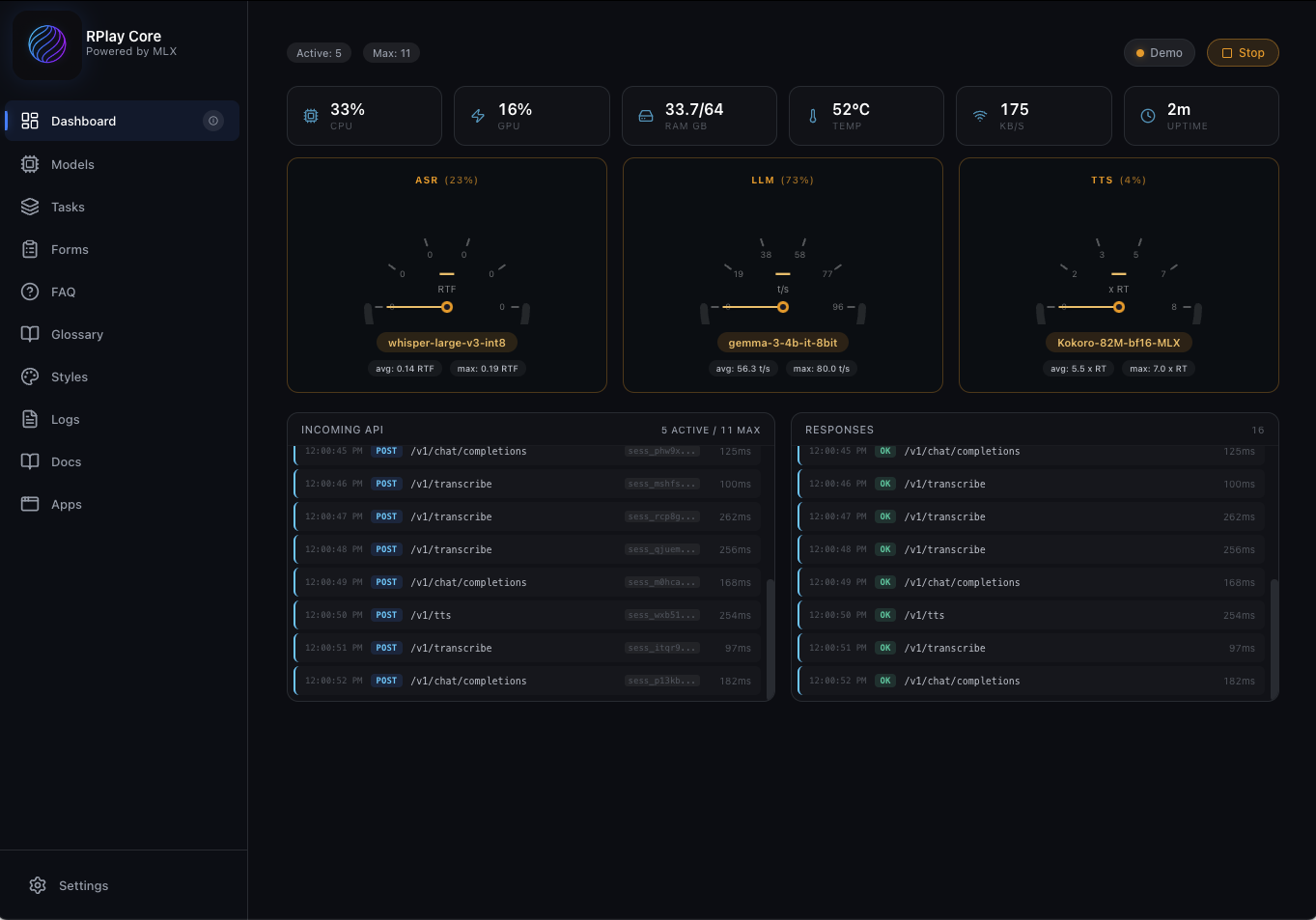
RPlay Core Dashboard - Real-time AI monitoring with ASR, LLM, and TTS

Up and Running in Minutes

No technical setup. Download, select your Mac, start using AI.

1

Download RPlay

One-click install for macOS. Works on any Apple Silicon Mac with 16GB+ unified memory.

2

Select Your Setup

Choose your Mac type and RAM. We recommend optimal models for your hardware configuration.

3

Start Working

Use bundled apps or build your own solutions with our REST APIs. Your AI, your way.

Powerful Apps, Beautiful Interface

Explore the RPlay ecosystem with real screenshots from our apps.

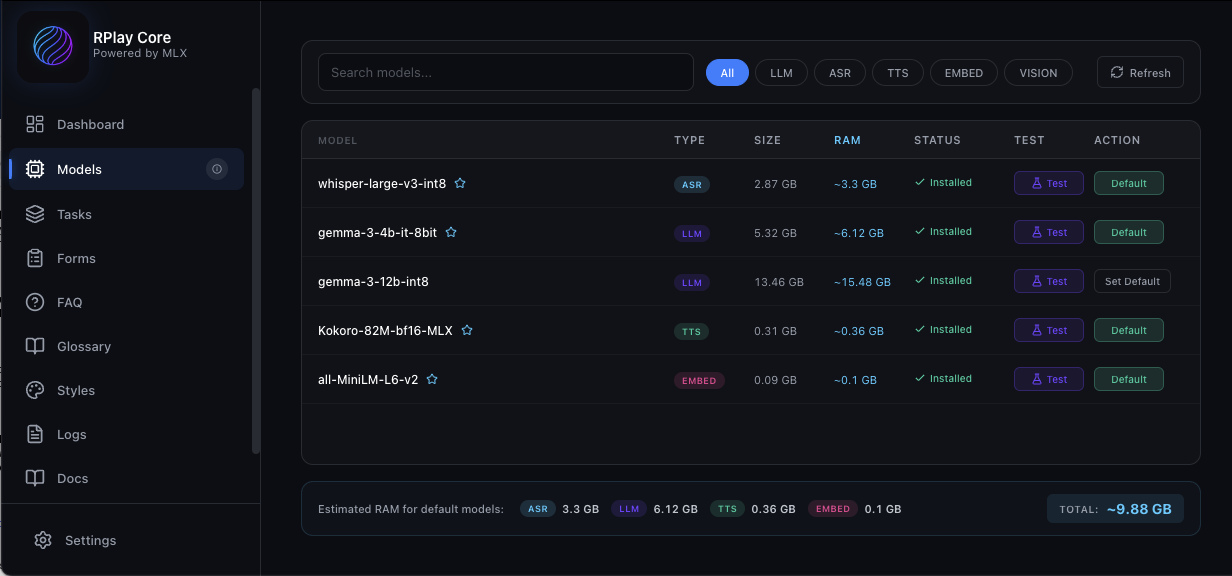
RPlay Models Management

Model Management

Browse, install, and manage AI models with RAM requirements and one-click defaults.

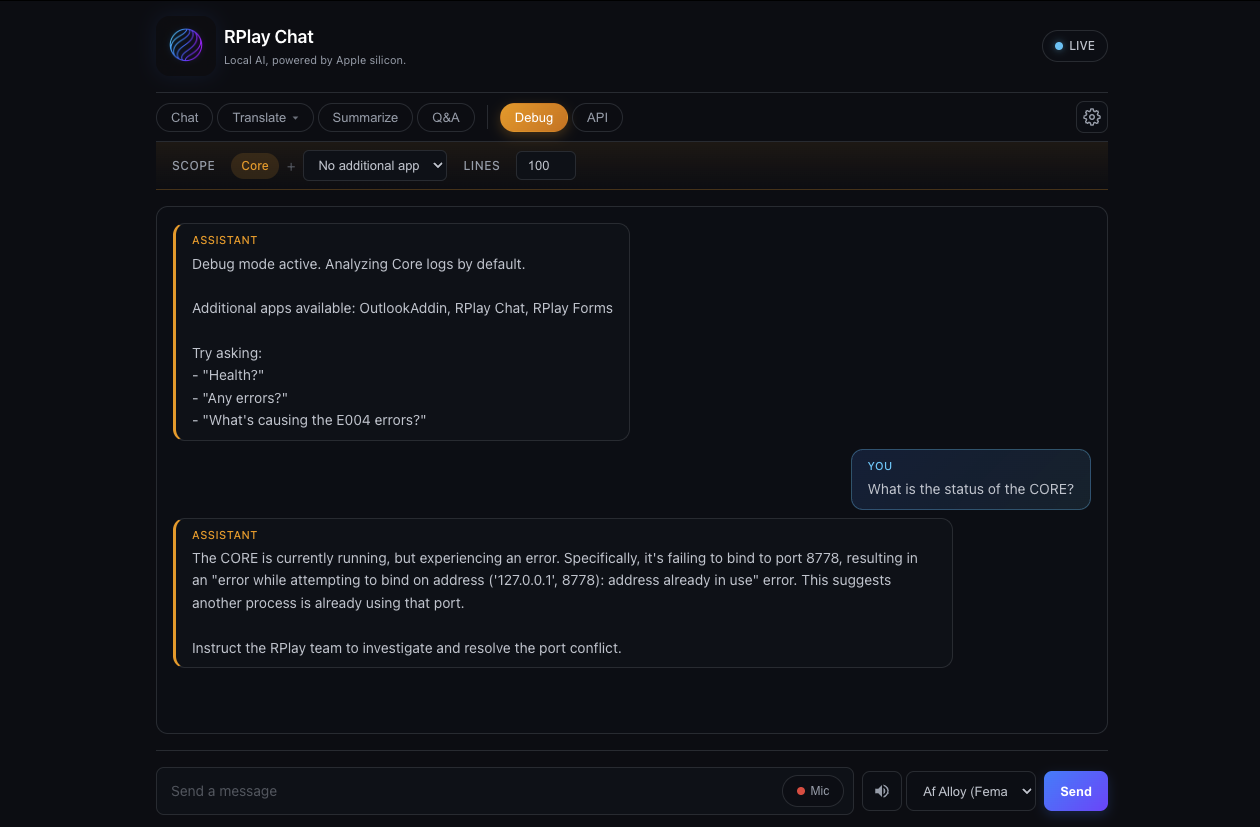
RPlay Chat with Debug Mode

RPlay Chat with Debug Mode

Built-in chatbot that analyzes Core logs. Ask "Any errors?" for instant diagnostics.

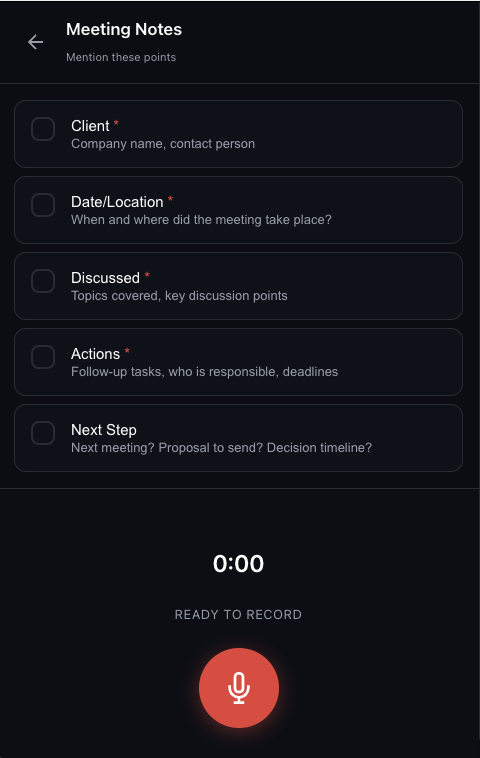
RPlay Forms - Meeting Notes

Voice-to-Structured Forms

Speak naturally about your meeting. Get structured notes automatically.

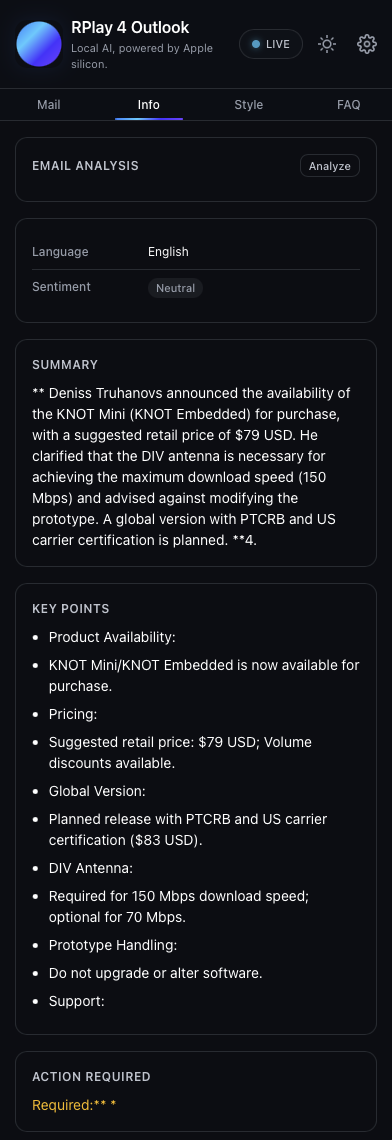
RPlay for Outlook

RPlay for Outlook

Email analysis with summary, key points, and suggested actions. All processed locally.

Complete AI Stack, Locally

Everything for professional AI workflows, running privately on your Mac.

Speech Recognition

Whisper MLX for fast, accurate transcription in 100+ languages. Perfect for dictation and meetings.

Language Models

Gemma and other leading models for text generation, summarization, and translation.

Text-to-Speech

Kokoro TTS for natural voice synthesis. Create audio content and voice responses.

Memory & Documents

Upload PDFs, Word docs, images. Build searchable knowledge bases with automatic chunking and RAG.

Tasks & Prompts

Pre-built templates for common workflows. Combine prompts with variables for repeatable results.

Style Learning

LoRA fine-tuning learns your writing style. AI responses match your tone and vocabulary.

Ready-to-Use Applications

Professional apps included with RPlay. No coding required.

Free

RPlay Chat

Your AI conversation partner for questions, translation, summarization, and creative exploration.

  • Multi-language translation
  • Summarization mode
  • Q&A extraction
  • Debug & API modes for developers
Free

RPlay Forms

Voice-to-structured-data for professionals who need to document fast.

  • Speak naturally, get structured output
  • Custom form templates
  • Webhook integration
  • Perfect for clinical notes & intake

Built for Privacy-First Industries

When data can't leave your building, RPlay is your answer.

Healthcare

Patient data stays on-premise. Full compliance with privacy regulations. MedGemma support.

Clinical notes Discharge summaries Intake forms Shift handovers Radiology reports Referral letters

Legal

Client confidentiality preserved. Attorney-client privilege protected with local processing.

Contract review Case notes Client intake Document drafting Research summaries Legal briefs

Consultancy

Build expertise databases. Create client-specific assistants. Keep IP secure.

Meeting notes Proposal drafting Knowledge base Client reports Research synthesis Status updates

Finance & Government

Regulatory compliance simplified. Air-gapped operation possible. Full audit trails.

Compliance docs Risk analysis Policy drafting Constituent comms Internal reports Audit summaries

Healthcare Disclaimer: RPlay + MedGemma assists medical professionals but does NOT replace clinical judgment.

Cloud AI for Exploration, Local AI for Execution

Use cloud AI for complex research.
Use local AI for 90% of daily workflows.

Capability
Cloud AI
RPlay (Local)
Daily workflows (email, notes, translation)
Excellent
Excellent
Complex research & reasoning
Exceptional
Good
Data privacy
Data sent to cloud
100% local
Response speed
Network latency
Instant
Cost model
Per-token / subscription
One-time, unlimited
Offline availability
Requires internet
Works offline
Compliance simplicity
Complex data agreements
Full control

Scale AI Across Your Organization

RPlay's 2-tier architecture puts AI processing power on central hardware while letting users access it from any device.

100+
Concurrent users
60W
Power consumption
0dB
Noise level
  • Single Mac Studio Ultra serves entire departments
  • Clients on any device: Mac, Windows, iOS, Android, Web
  • Centralized model management & updates
  • Full audit trails and logging
  • Pricing based on concurrent sessions
Contact Enterprise Sales
RPlay Core RPlay Core (Mac Studio)
Mac
Windows
iOS
Android
Web

One powerful server. Any client platform. Full data control.

Build Anything with Local AI

OpenAI-compatible REST APIs let you integrate RPlay into any application. Full documentation with SwaggerUI and Redoc.

  • OpenAI-compatible API endpoints
  • ASR, LLM, TTS, and Embeddings APIs
  • Session management & streaming
  • Tasks API for prompt templates
  • Built-in chatbot to explore API & debug logs
API Docs — Coming Soon
# Transcribe audio with Whisper
curl -X POST https://localhost:8778/v1/asr/transcribe \
  -H "X-API-Key: your-key" \
  -F "file=@recording.wav"

# Generate text with Gemma
curl -X POST https://localhost:8778/v1/chat/completions \
  -H "Content-Type: application/json" \
  -d '{"model": "gemma-3-4b-it",
  "messages": [{"role": "user",
  "content": "Summarize this..."}]}'

# Synthesize speech with Kokoro
curl -X POST https://localhost:8778/v1/tts/synthesize \
  -d '{"text": "Hello", "voice": "af"}'

Simple, Transparent Pricing

Start free. Scale as you grow. No per-token costs.

Personal
Free

For individuals exploring local AI

100% free. No subscriptions.
  • Up to 5 concurrent sessions
  • All AI capabilities (ASR, LLM, TTS)
  • RPlay Chat app
  • RPlay Forms app
  • Full API access
Coming Soon
Enterprise
Custom

For organizations at scale

Pricing based on concurrent sessions
  • Scale to your needs
  • Multi-user architecture
  • Optional hardware bundle
  • SLA & dedicated support
  • Custom integration
Contact Sales

System Requirements

Minimum

M1 Mac
16GB RAM

Recommended

M2/M3/M4 Mac
32GB+ RAM
16+ GPU cores

Enterprise

Mac Studio Ultra
128GB RAM
40+ GPU cores

Note: RPlay Core requires macOS with Apple Silicon. Client apps (Chat, Outlook) work on Mac, Windows, iOS, Android, and Web.

Contact Us

Questions about RPlay? Enterprise inquiry? We'd love to hear from you.

Coming Soon

Ready to Press Play?

Be the first to know when RPlay launches.
Sign up for updates.