RPlay AI

Press Play on Local AI

The complete AI platform for your Mac

Speech recognition, language models, text-to-speech, and professional apps — all running privately on Apple Silicon. Your data never leaves your device.

Download Available Soon
Apple Silicon Native
100% Private
Instant Response
Free to Start
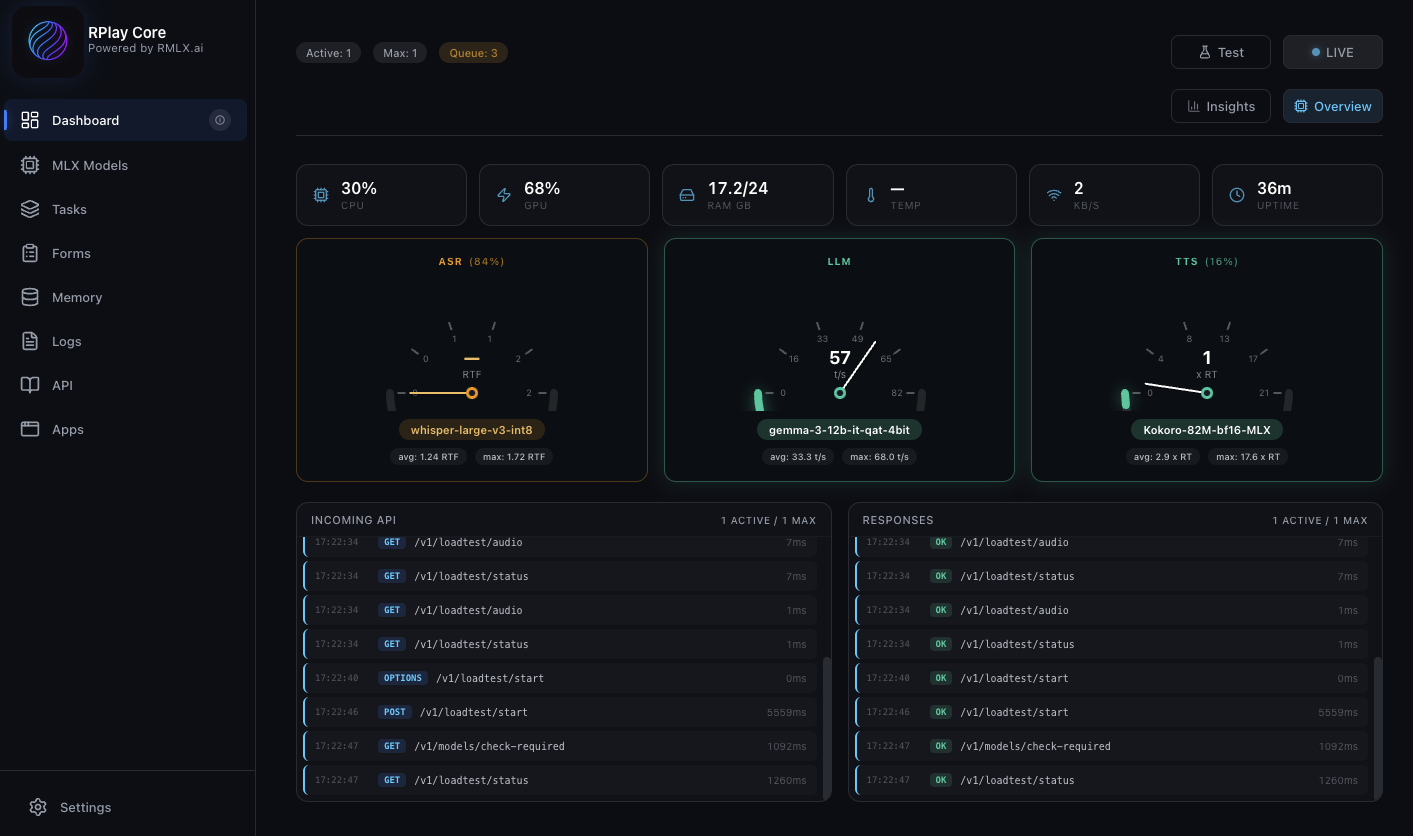
RPlay Core Dashboard - Real-time AI monitoring with ASR, LLM, and TTS

RPlay Core dashboard: Real-time monitoring of Speech Recognition, Language Models, and Text-to-Speech pipelines running locally on your Mac.
From Download to Device in Minutes

One-time setup. Then it just works. Locally.

Step 1

Download AI Models

Get RPlay Core running on your Mac with all AI models ready to go.

  • One-click to download RPlay Core
  • Runs only on Mac Silicon
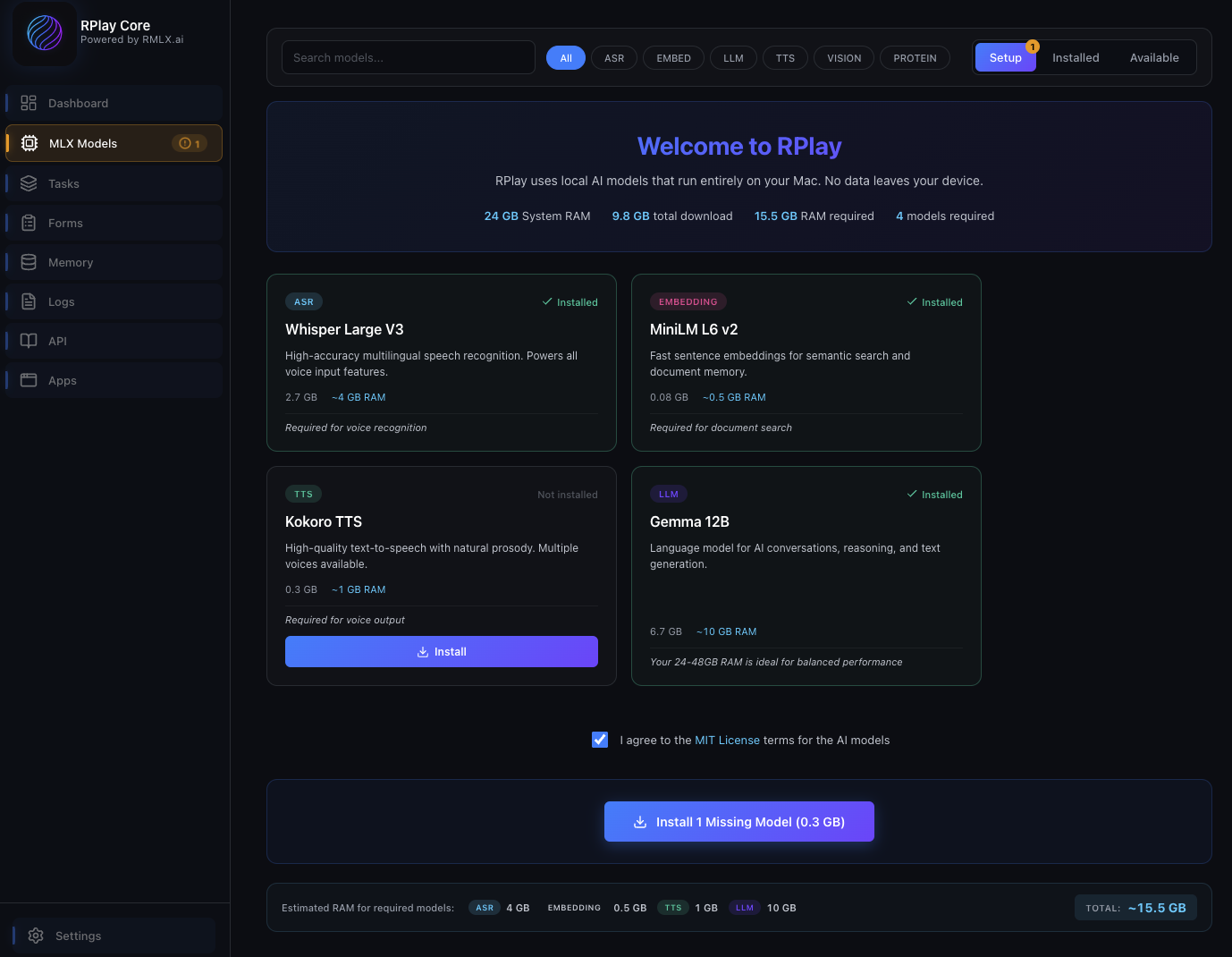
  • Models download automatically
Preview
Step 2

Configure Apps

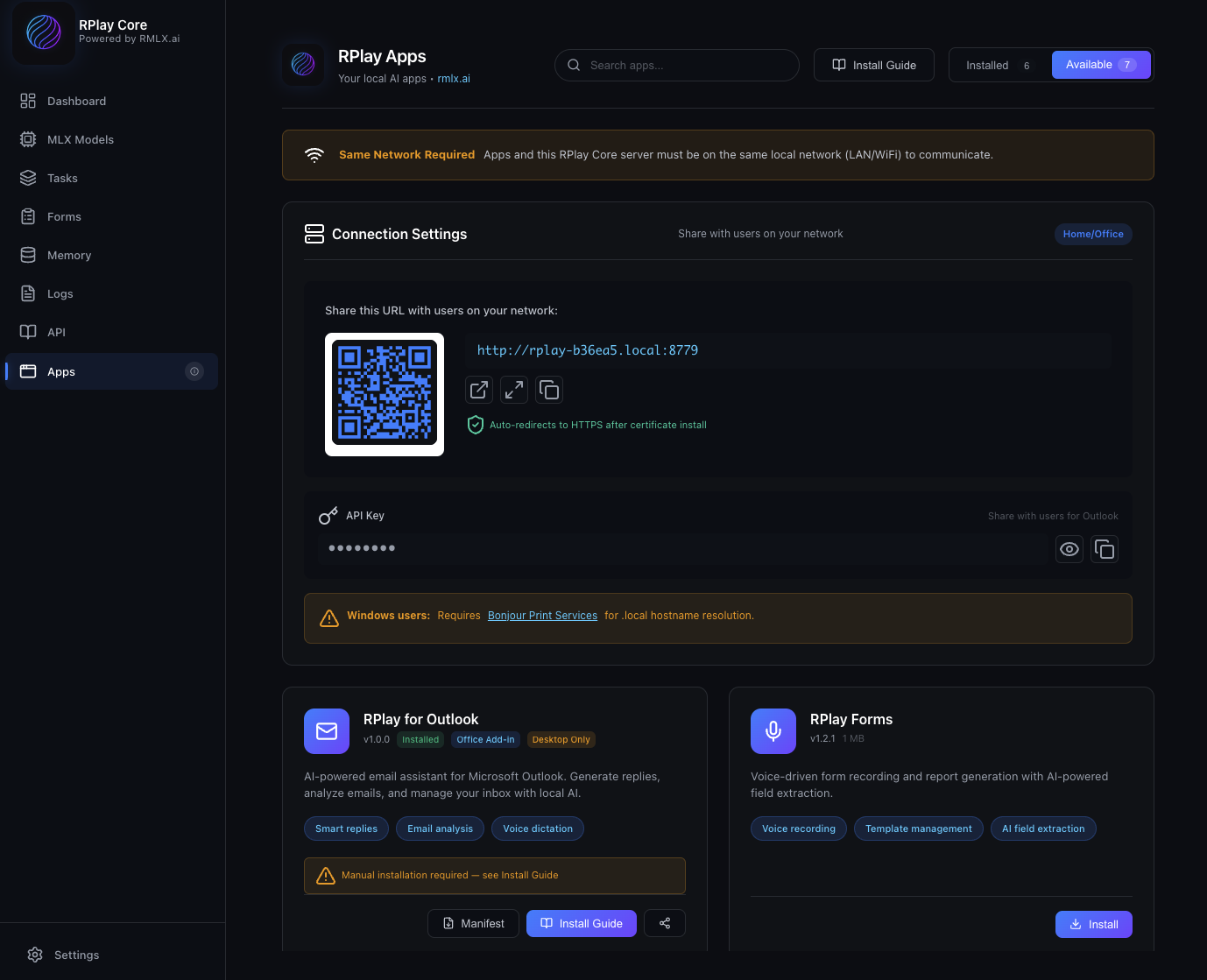
Choose which apps to enable from the RPlay admin interface.

  • Go to the RPlay admin page
  • Select the apps you need
  • One-click installation
Preview
Step 3

RPlay Apps Portal

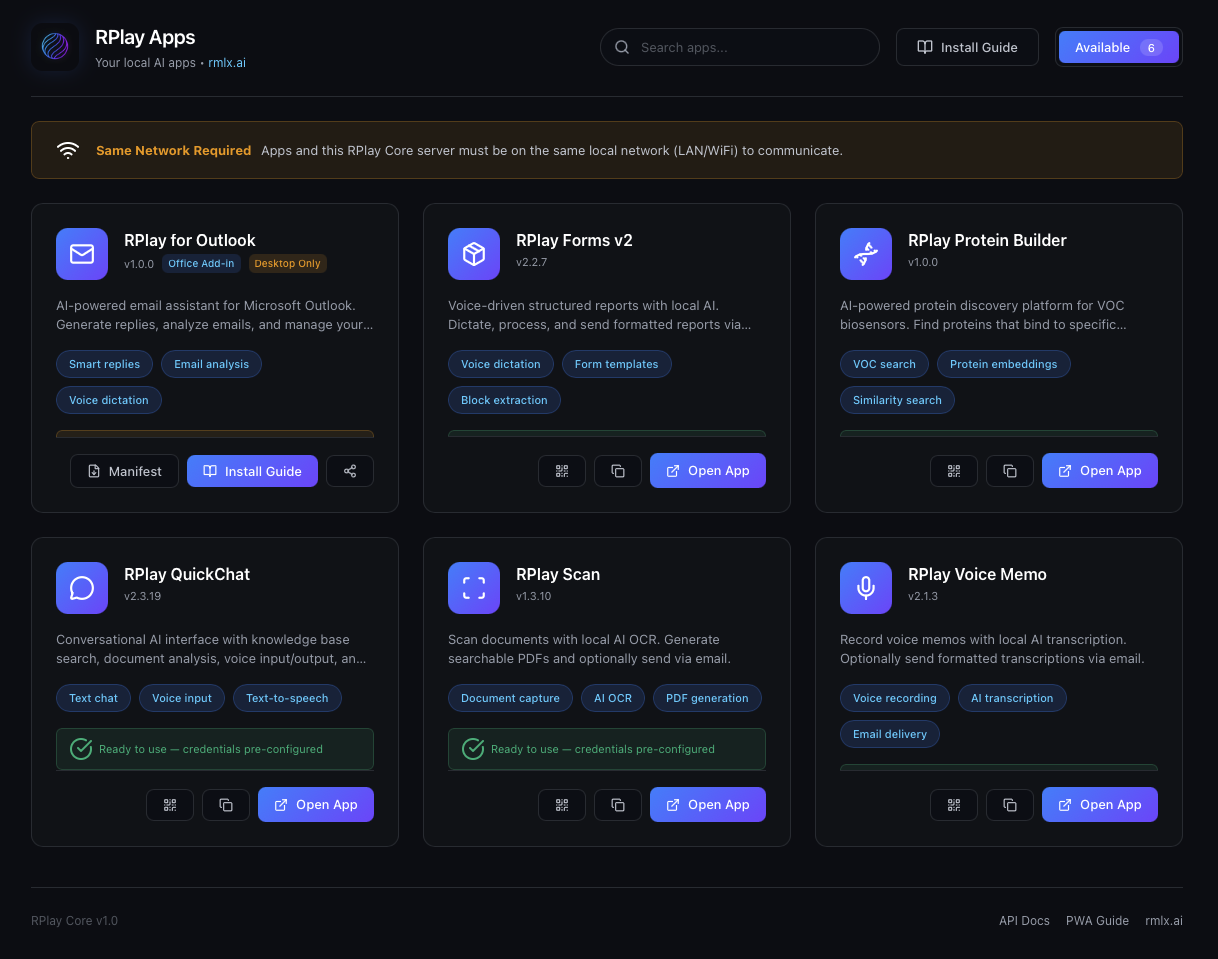
Users access apps from any device through the web portal.

  • Users can now install available apps
  • Zero-touch provisioning
  • PWA apps support all main OS's
Preview

100% Local. Your data never leaves your building. No cloud accounts. No subscriptions. No data agreements.

Complete AI Stack, Locally

Everything for professional AI workflows, running privately on your Mac.

Speech Recognition

Whisper MLX for fast, accurate transcription in 100+ languages. Perfect for dictation and meetings.

Language Models

Gemma and other leading models for text generation, summarization, and translation.

Text-to-Speech

Kokoro TTS for natural voice synthesis. Create audio content and voice responses.

Memory & Documents

Upload PDFs, Word docs, images. Build searchable knowledge bases with automatic chunking and RAG.

Tasks & Prompts

Pre-built templates for common workflows. Combine prompts with variables for repeatable results.

Style Learning

LoRA fine-tuning learns your writing style. AI responses match your tone and vocabulary.

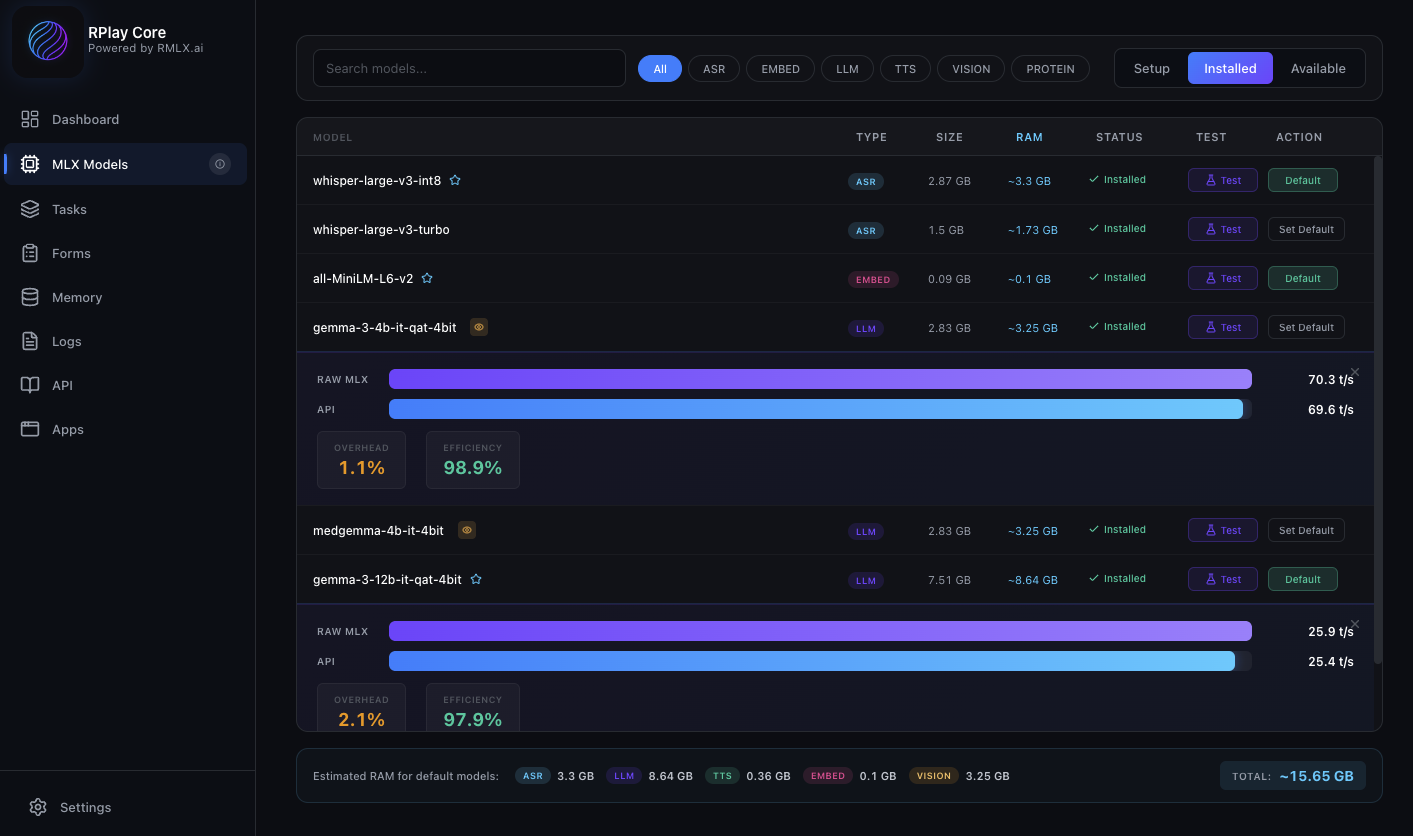
RPlay Models - Compare and test AI model performance

Model management: Compare inference speeds, memory usage, and test different AI models to find the perfect fit for your workflow.

Ready-to-Use Applications

Professional PWA apps included with RPlay. No coding required.
Run on iOS, Android, Windows, and Mac — or from any browser.

Free

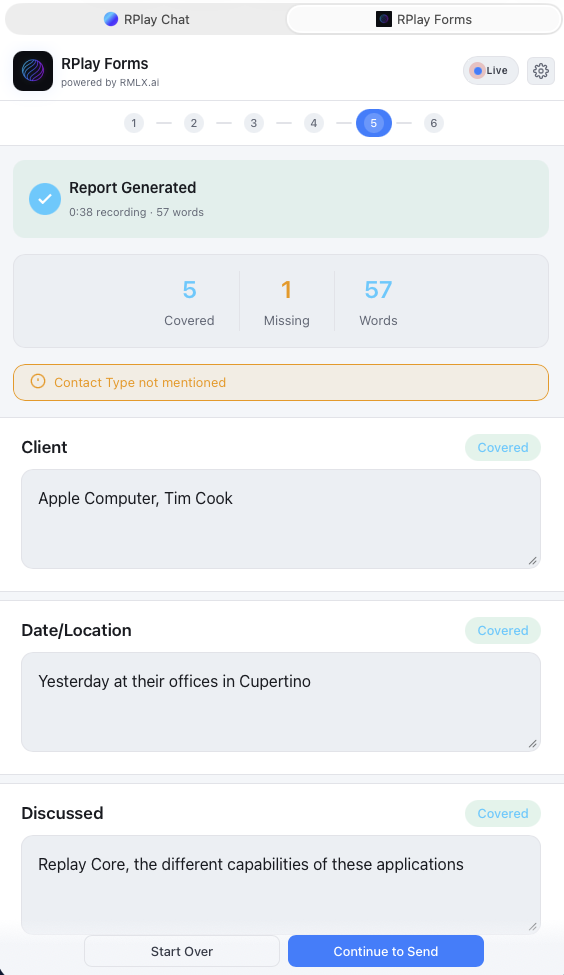
RPlay Forms

Voice-to-structured-data for fast documentation.

  • Speak naturally, get structured output
  • Custom form templates
  • Email & export options
Preview
Free

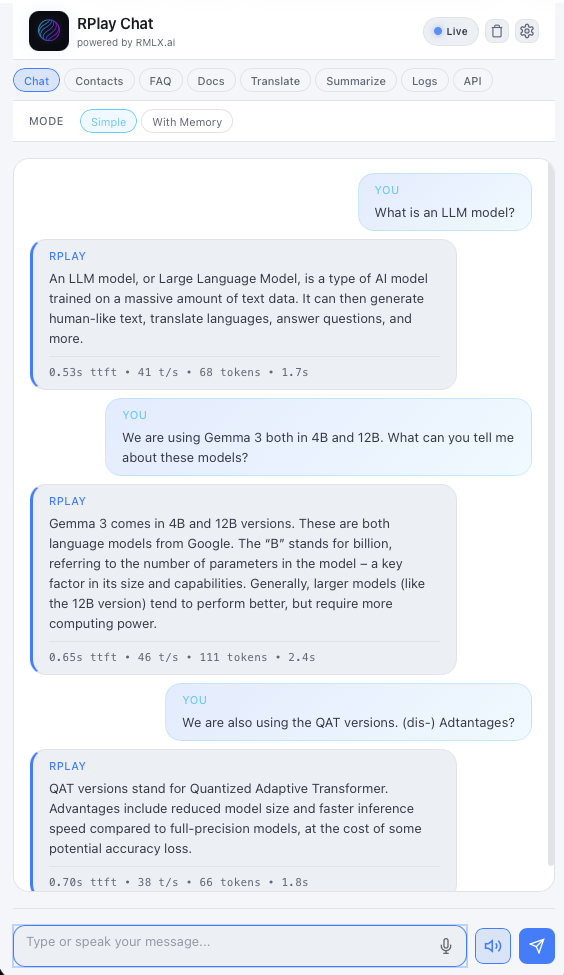
RPlay QuickChat

Your AI conversation partner for questions, translation, and summarization.

  • Multi-language translation
  • Summarization mode
  • Q&A extraction
Preview
Free

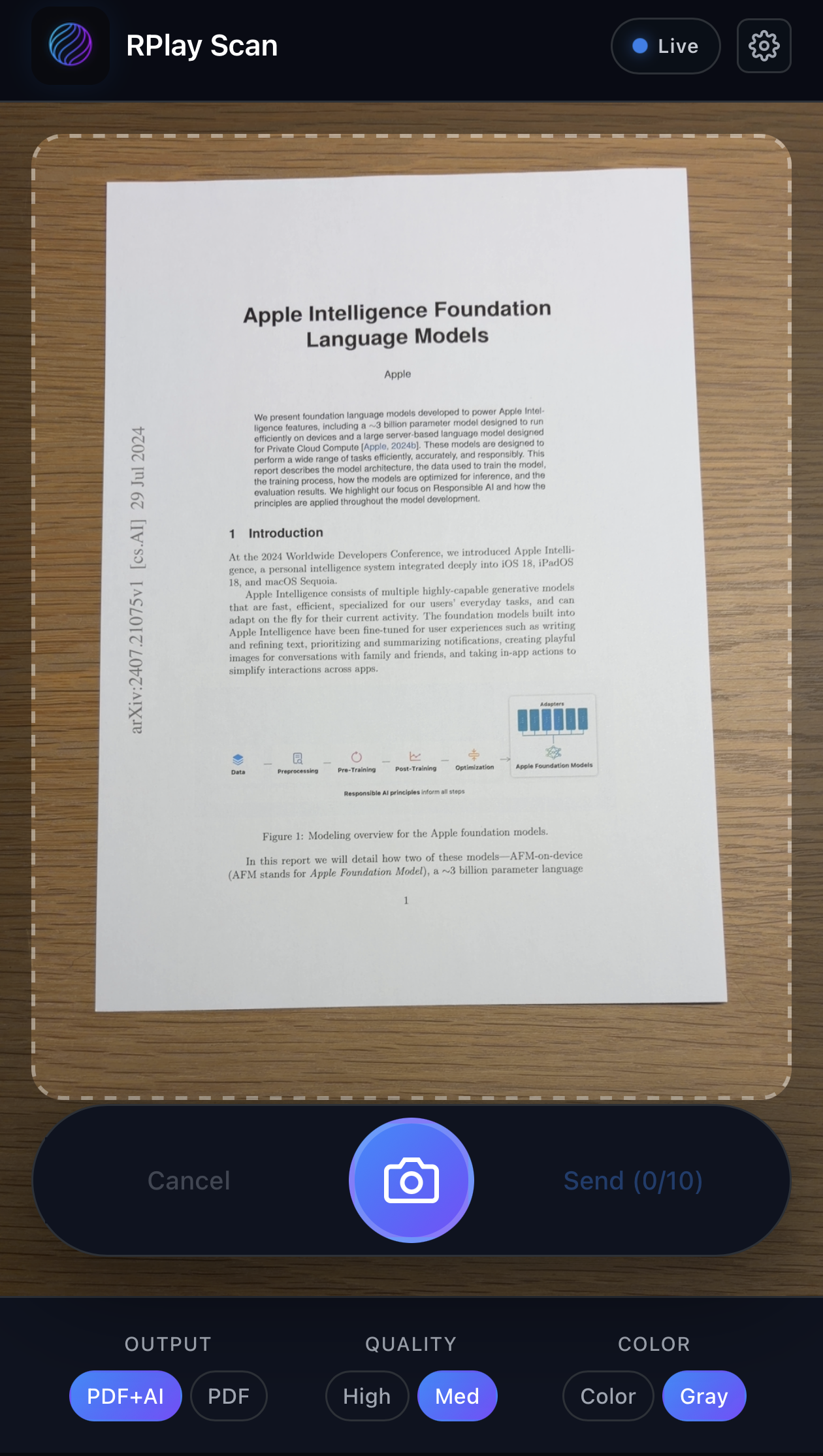
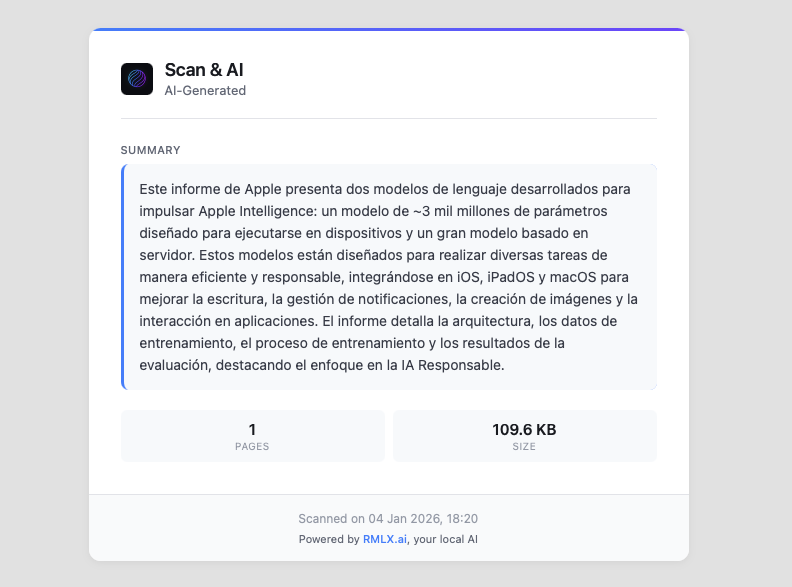
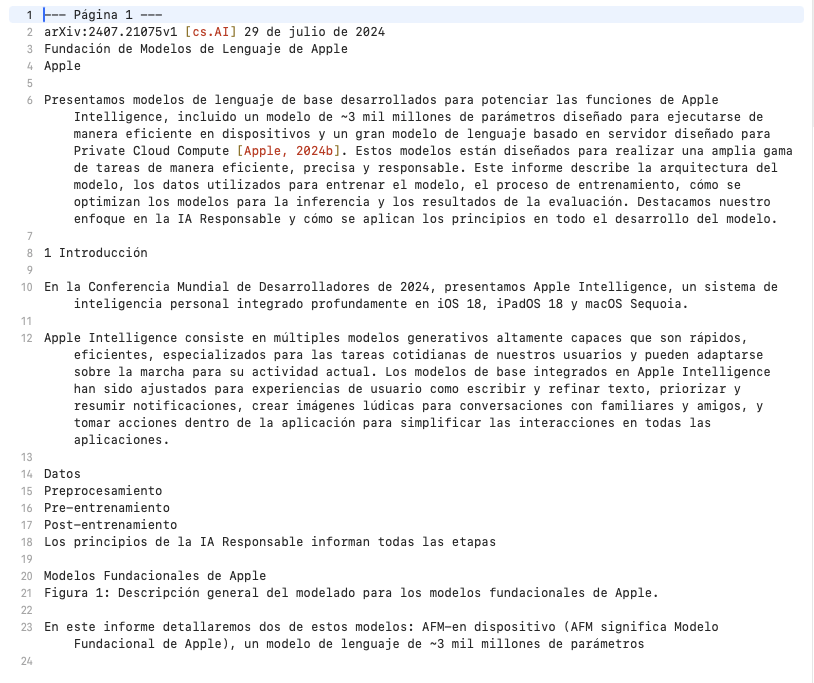
RPlay Scan

Document scanning with AI-powered OCR and translation.

  • Camera or file capture
  • Apple ML Vision OCR
  • Translation & summary
Preview
Free

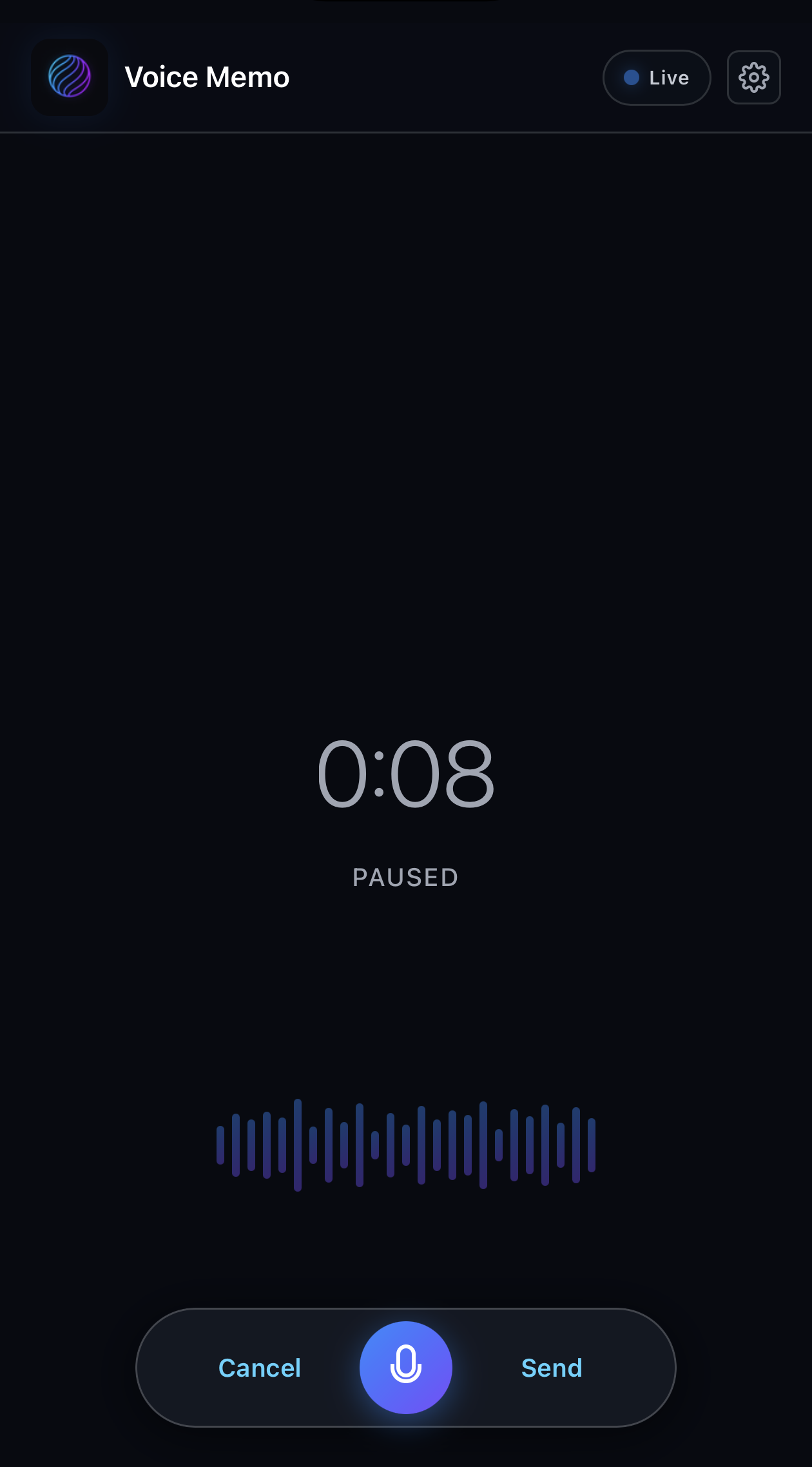
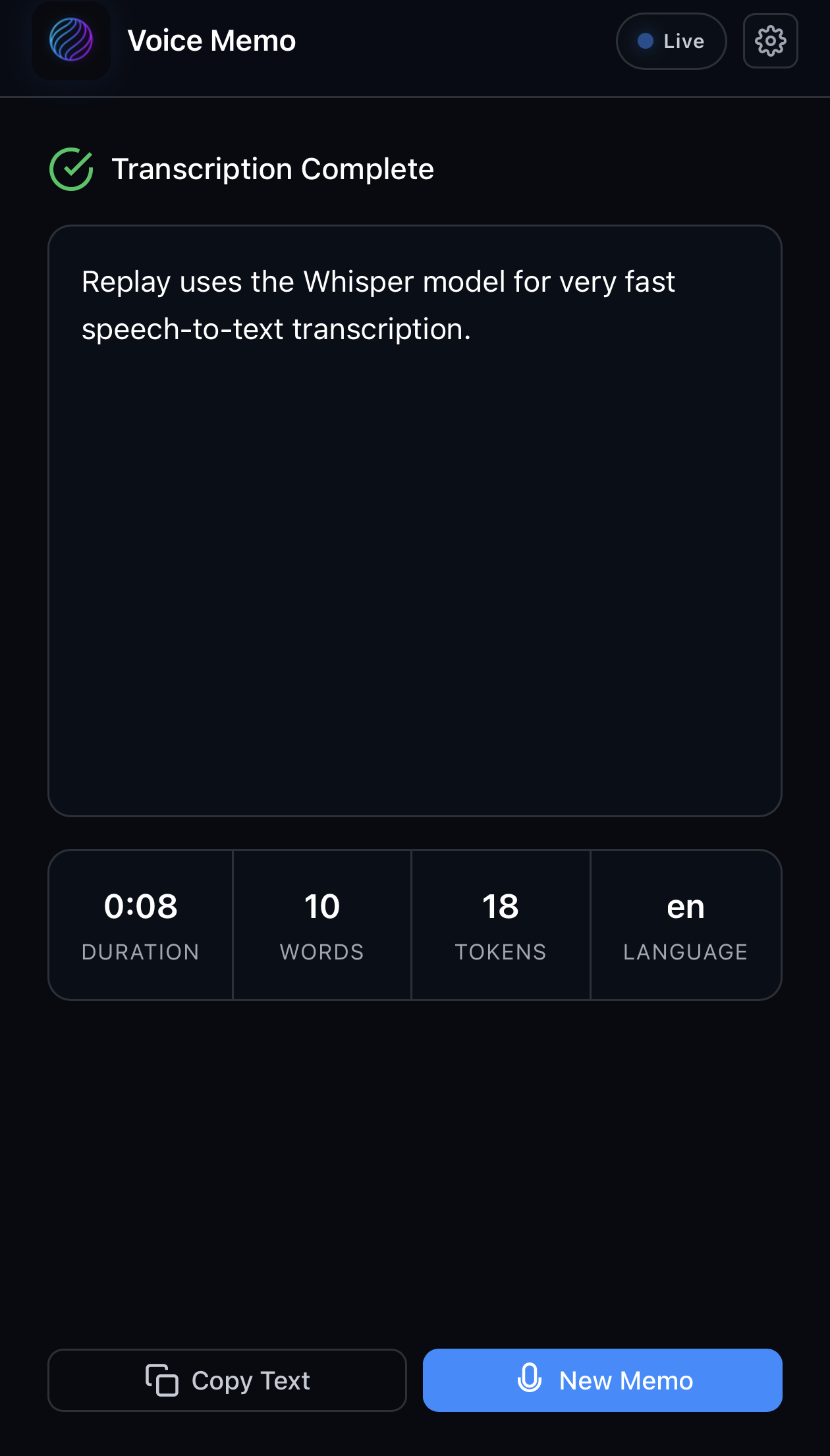
RPlay VoiceMemo

Speak, transcribe, and email your thoughts instantly.

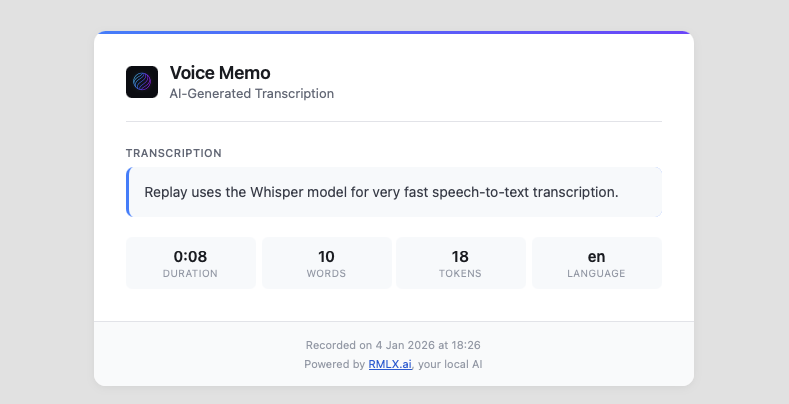
  • Voice recording with AI transcription
  • AI-powered formatting
  • Email delivery
Preview

The Memory System

Your AI's brain. Private, local, always learning.

Contacts

Auto-extract contact info from emails. Search by name, company, or role. Build your CRM locally.

"Who is my contact at Acme Corp?"

FAQ Knowledge Base

Create Q&A pairs manually or auto-generate from documents. RAG-powered semantic search.

"What's our return policy?"

Documents

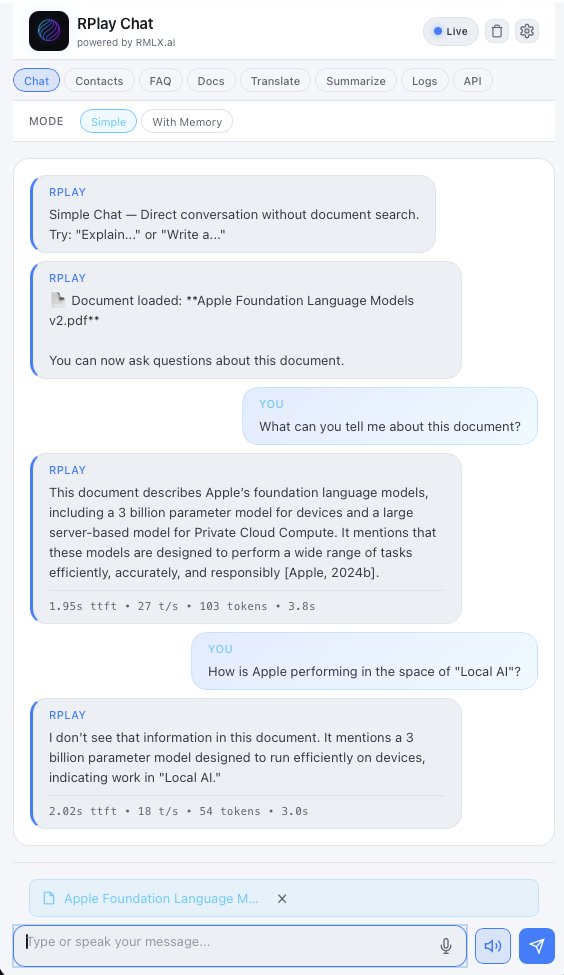
Upload PDF, Word, images. Auto-chunking and embedding. Chat with your documents naturally.

"Summarize this contract"

Style Learning (LoRA)

Train on your sent emails. AI mimics your vocabulary, tone, and formatting preferences.

Every response sounds like YOU

RPlay becomes your personalized, private AI assistant that knows your business.

RPlay Memory System - Documents, FAQs, and Contacts management

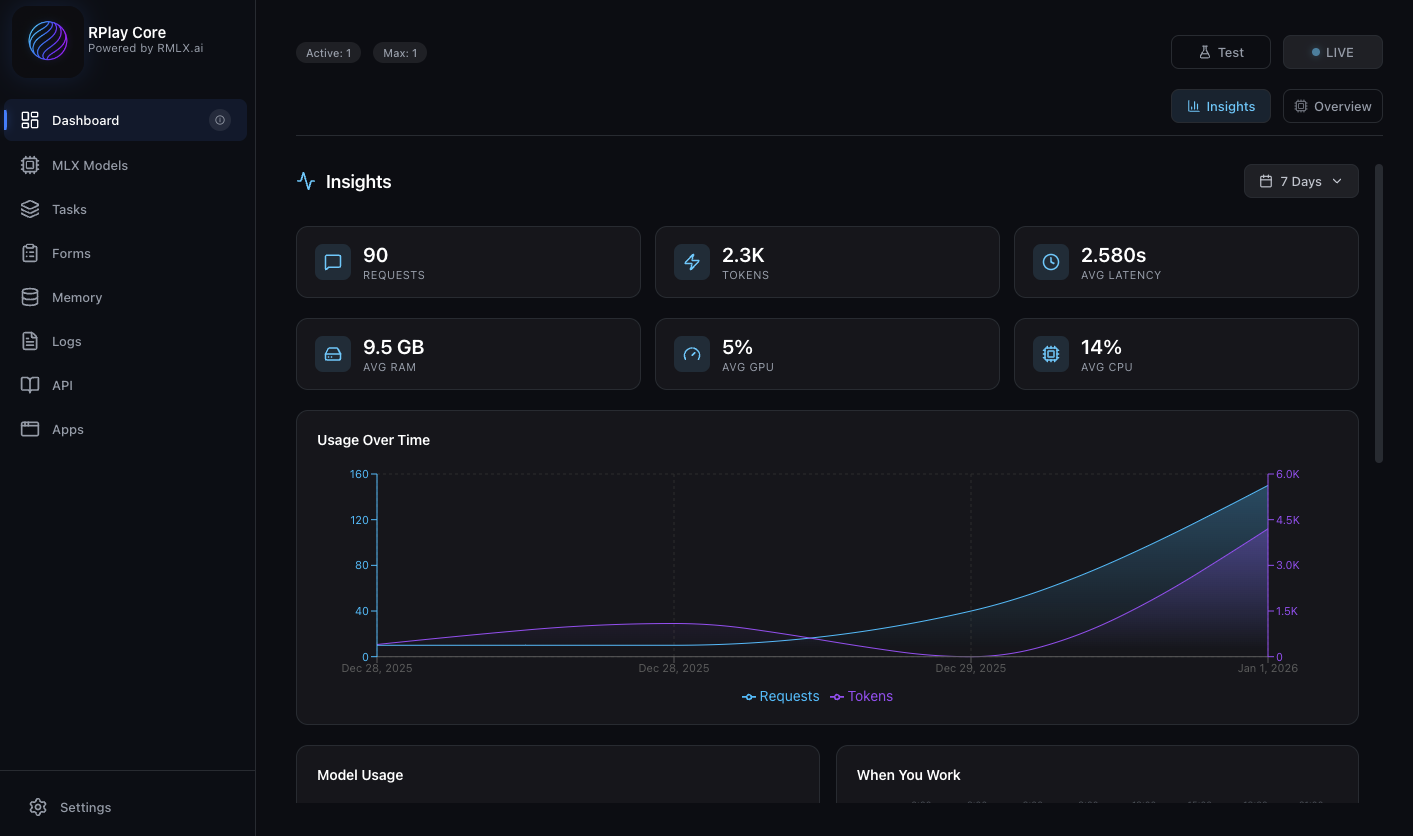
Insights dashboard: detailed overview of your RPlay usage — sessions, requests, and performance metrics.

Cloud AI for Exploration, Local AI for Execution

Use cloud AI for complex research.
Use local AI for 90% of daily workflows.

Capability
Cloud AI
RPlay (Local)
Daily workflows (email, notes, translation)
Excellent
Excellent
Complex research & reasoning
Exceptional
Good
Data privacy
Data sent to cloud
100% local
Response speed
Network latency
Instant
Cost model
Per-token / subscription
One-time, unlimited
Offline availability
Requires internet
Works offline
Compliance simplicity
Complex data agreements
Full control

Scale AI Across Your Team

RPlay's 2-tier architecture puts AI processing power on central hardware while letting team members access it from any device.

50+
Concurrent users
100W
Power consumption
30dB
Noise level
  • Single Mac Studio serves entire teams
  • Clients on any device: Mac, Windows, iOS, Android, Web
  • Centralized model management & updates
  • Full audit trails and logging
  • Flexible pricing based on team size
Get in Touch
RPlay Core RPlay Core (Mac Studio)
Mac
Windows
iOS
Android
Web

One powerful server. Any client platform. Full data control.

Build Anything with Local AI

OpenAI-compatible REST APIs let you integrate RPlay into any application. Full documentation with SwaggerUI and Redoc.

  • OpenAI-compatible API endpoints
  • ASR, LLM, TTS, and Embeddings APIs
  • Session management & streaming
  • Tasks API for prompt templates
  • Built-in chatbot to explore API & debug logs
# Transcribe audio with Whisper
curl -X POST https://localhost:8778/v1/asr/transcribe \
  -H "X-API-Key: your-key" \
  -F "file=@recording.wav"

# Generate text with Gemma
curl -X POST https://localhost:8778/v1/chat/completions \
  -H "Content-Type: application/json" \
  -d '{"model": "gemma-3-4b-it",
  "messages": [{"role": "user",
  "content": "Summarize this..."}]}'

# Synthesize speech with Kokoro
curl -X POST https://localhost:8778/v1/tts/synthesize \
  -d '{"text": "Hello", "voice": "af"}'

Simple, Transparent Pricing

Start free. Scale as you grow. No per-token costs.

Personal
Free

For individuals exploring local AI

100% free. No subscriptions.
  • Limited to your own computer
  • All AI capabilities (ASR, LLM, TTS)
  • All bundled apps included
  • Full API access
  • Unlimited usage
Coming Soon
Teams
Custom

For organizations at scale

Pricing based on concurrent sessions
  • Scale to your needs
  • Multi-user architecture
  • Optional hardware bundle
  • SLA & dedicated support
  • Custom LLM models
Contact Sales

System Requirements

Minimum

M1 Mac
16GB RAM

Recommended

Latest M-Pro chip
32GB+ RAM
16+ GPU cores

Teams

Mac Studio Ultra
128GB RAM
40+ GPU cores

Note: RPlay Core requires macOS with Apple Silicon.
Client apps (Chat, Outlook, ...) work on Mac, Windows, iOS, Android, and Web.

Contact Us

Questions about RPlay? Enterprise inquiry? We'd love to hear from you.

Coming Soon

Ready to Press Play?

Be the first to know when RPlay launches.
Sign up for updates.

×

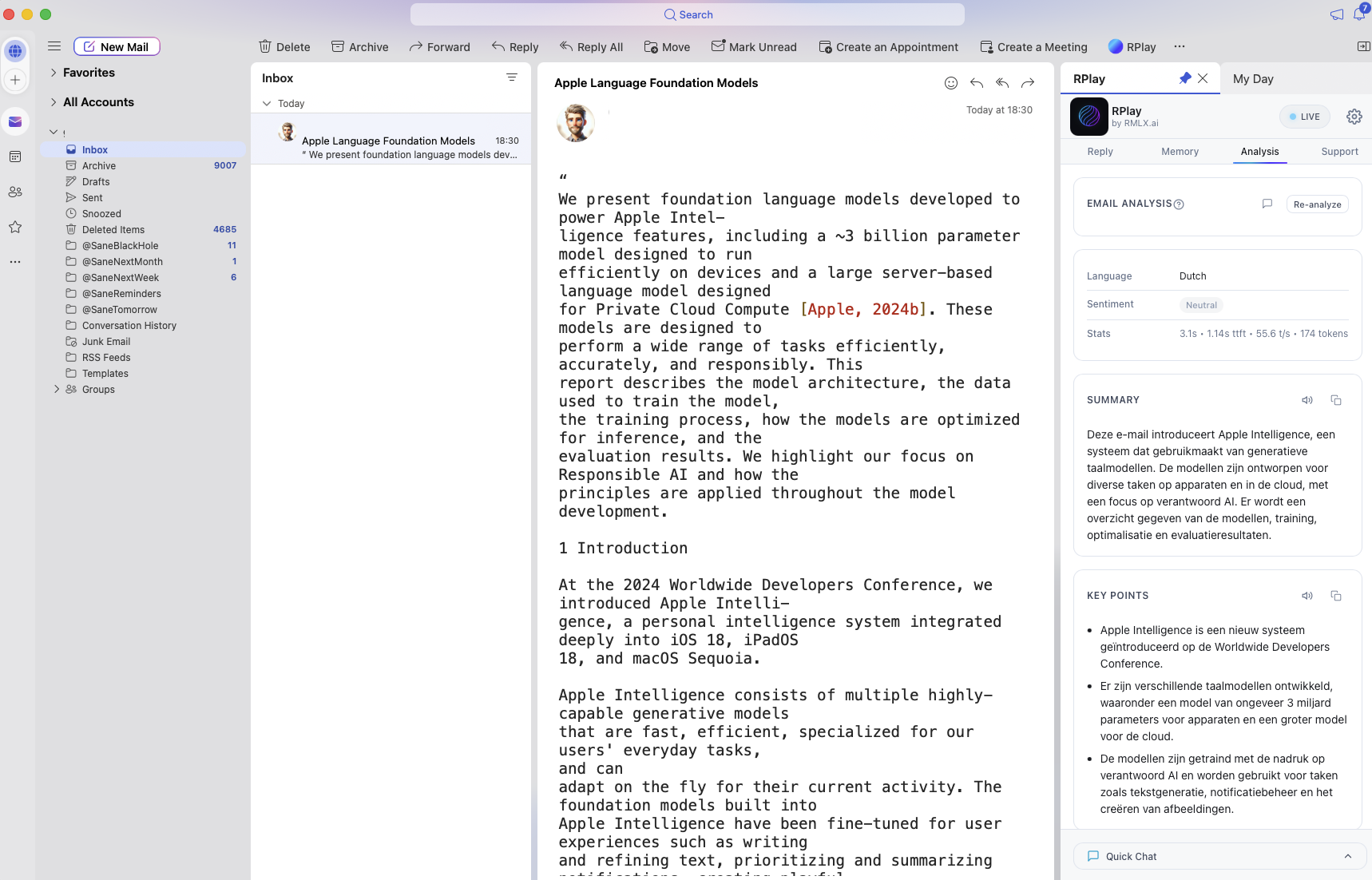
RPlay for Outlook

Outlook Preview 1

Email summarized in the user's native language

×

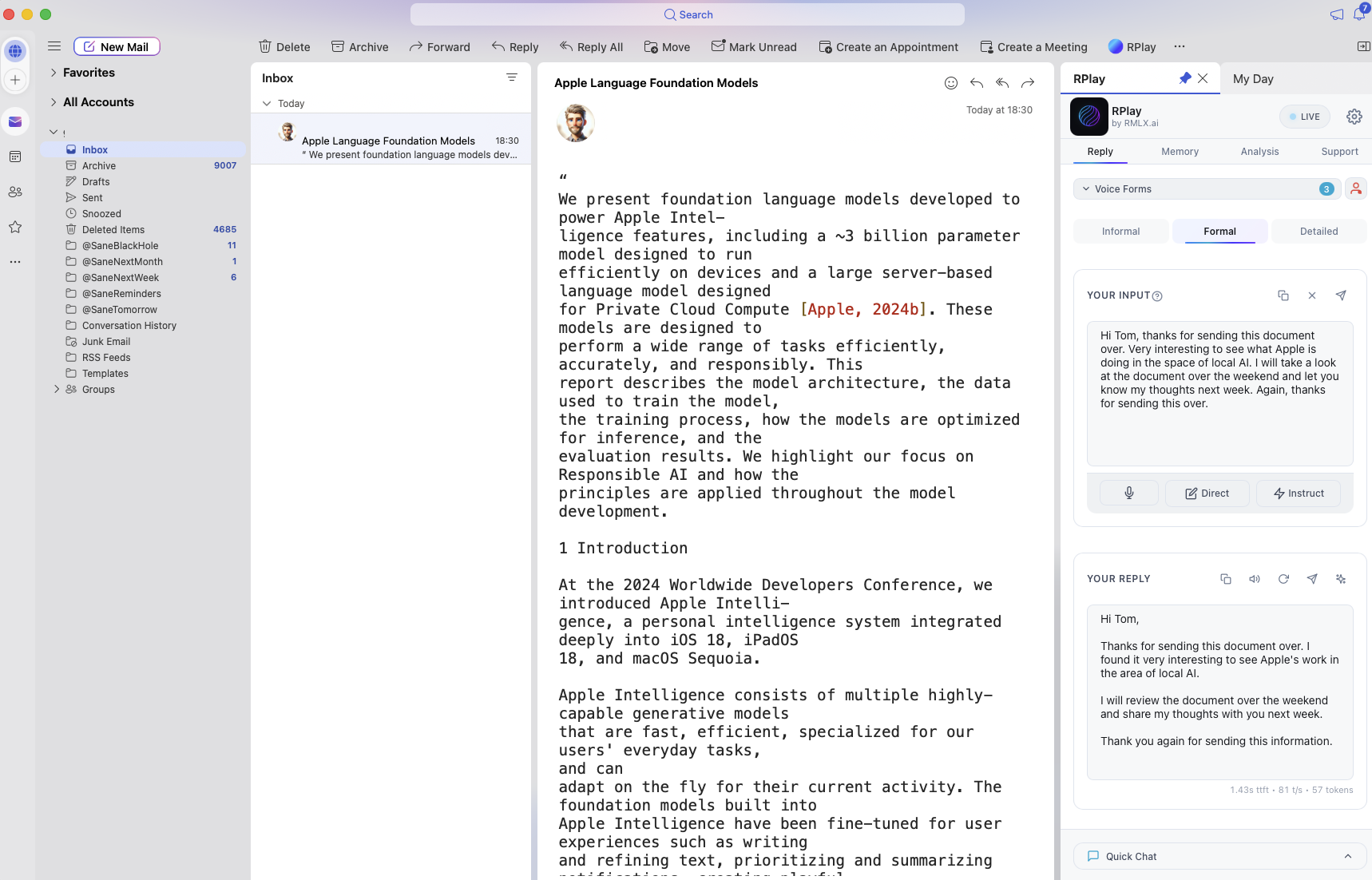
RPlay for Outlook

Outlook Preview 2

Voice message transcribed (top right) and polished by AI (bottom right)

×

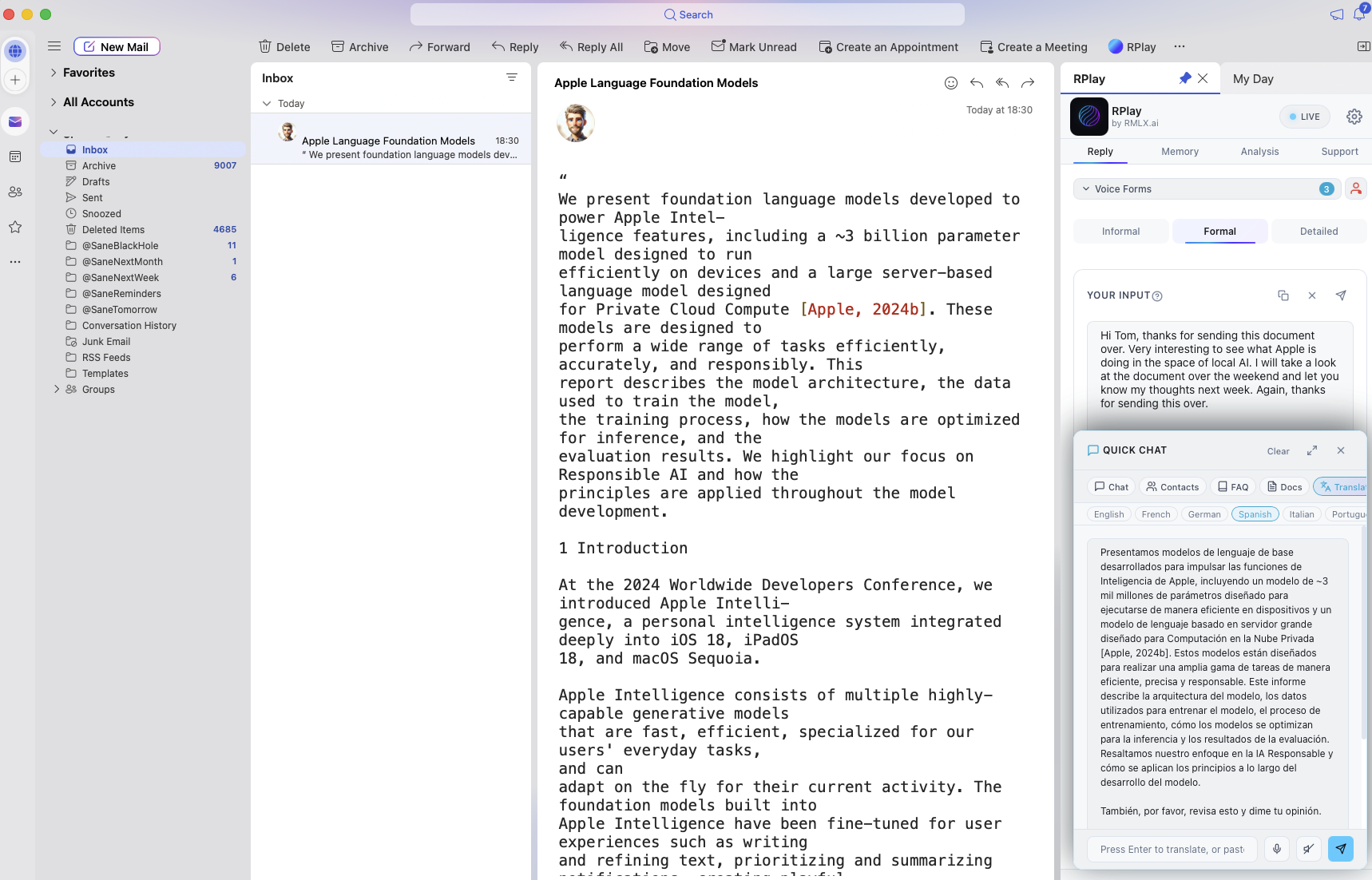
RPlay for Outlook

Outlook Preview 3

QuickChat translating an email into Spanish

×

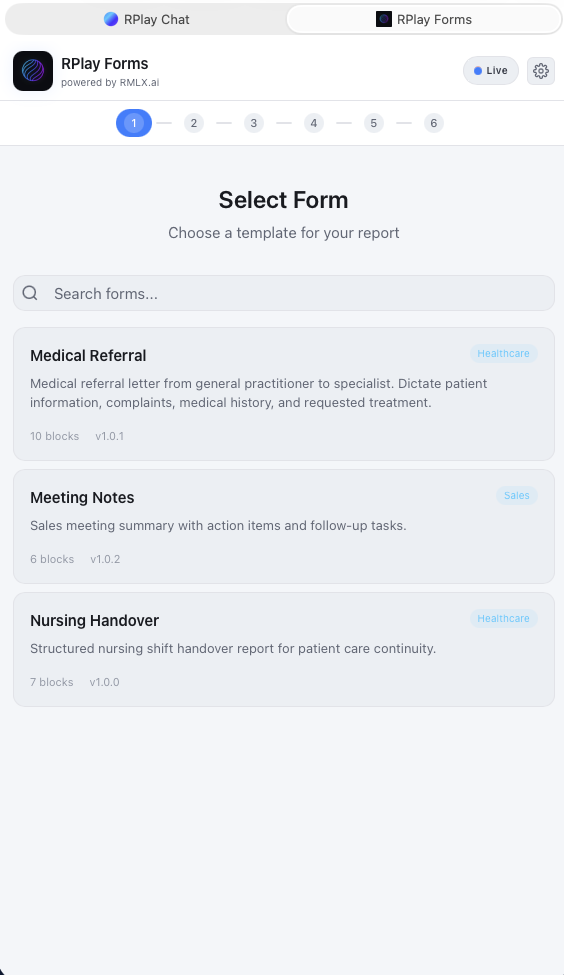
RPlay Forms

Forms Preview 1

Select a predefined form template. Start talking.

×

RPlay Forms

Forms Preview 2

Final result after transcription, ready for review and email delivery.

×

RPlay QuickChat

QuickChat Preview 1

Chat with the built-in knowledge of the LLM.

×

RPlay QuickChat

QuickChat Preview 2

Chat with your own memory — documents, FAQs, and contacts.

×

RPlay Scan

Scan Preview 1

Scan any document.

×

RPlay Scan

Scan Preview 2

Receive a summary of the scanned document via email.

×

RPlay Scan

Scan Preview 3

Receive a complete translation of the scanned document in your native language.

×

RPlay VoiceMemo

VoiceMemo Preview 1

Speak a message.

×

RPlay VoiceMemo

VoiceMemo Preview 2

See immediately what you've said — copy, edit, or share.

×

RPlay VoiceMemo

VoiceMemo Preview 3

Or receive it automatically via email.

×

Step 1: Download AI Models

Step 1 Preview

AI models download automatically with progress tracking for each component.

×

Step 2: Configure Apps

Step 2 Preview

The Admin App Portal lets you install and manage apps with one click.

×

Step 3: RPlay Apps Portal

Step 3 Preview

Users scan the QR code or enter the URL to access apps from any device.